
All Information About Research
Menu
- 1. Claiming Publication Rewards and Article Processing Charges (APC)
-
- PSU Phuket Campus Research Fund
- Research and Development Office (RDO), PSU
- College of Computing (CoC) Research Fund
-
- 2. Searching for Web of Science (WoS) Indexed Journals
- 3. Matching Your Manuscript with Suitable Journals
- 4. Checking Journal Quartile Rankings (WoS)
- 5. Publication Benchmarking via SciVal

Guide to Academic Publication Operations
Reward & APC Applications, WoS Journal Search, Quartile Verification, and Publication Benchmarking
1. Claiming Publication Rewards and Article Processing Charges (APC)
PSU Phuket Campus Research Fund
- Prepare documents using the official form: Download Document Form
- Submit all documents to Mr. Sakrach Phat-eiam (Joe) for approval from the PSU Phuket Campus Research Fund.
Research and Development Office (RDO), PSU
Submit for approval via the Output System: https://output.research.psu.ac.th/
- The paper must already be indexed in scopus.com, and you must wait at least 1 week for the Output system to fetch and display the article details.
- Access to the Output system requires connection to the PSU Network only (If off-campus, please connect via PSU VPN).
* Once all conditions are met, you can directly request publication rewards and APC reimbursements via the Output system.
College of Computing (CoC) Research Fund
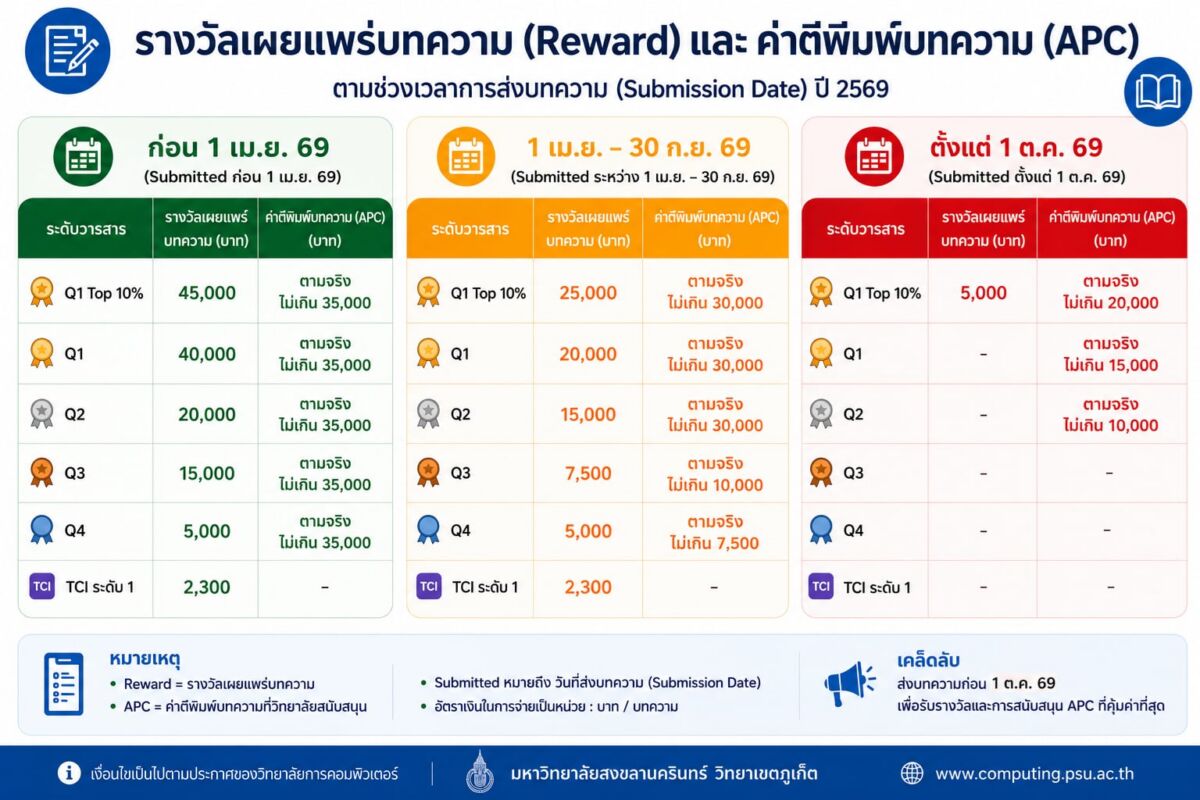
Request approval through your Action Plan and prepare attachments according to the announcements below:
-
Submitted before April 1, 2026:
https://intranet.computing.psu.ac.th/document/coc/viewfile?gid=ffd52f3c7e12435a724a8f30fddadd9c -
Submitted between April 1 – September 30, 2026:
https://intranet.computing.psu.ac.th/document/coc/viewfile?gid=c399862d3b9d6b76c8436e924a68c45b -
Submitted from October 1, 2026 onwards:
https://intranet.computing.psu.ac.th/document/coc/viewfile?gid=8eefcfdf5990e441f0fb6f3fad709e21
2. Searching for Web of Science (WoS) Indexed Journals
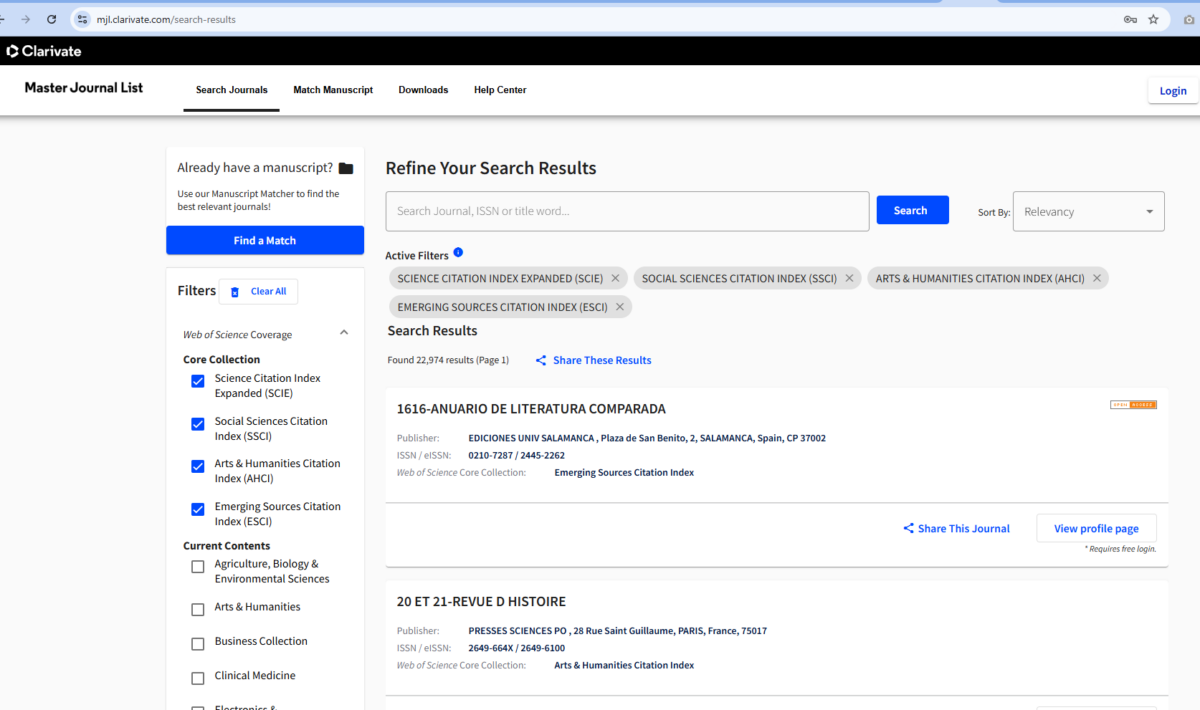
Search for journals indexed in the Web of Science (WoS) database at:
🔗 https://mjl.clarivate.com/search-results
3. Matching Your Manuscript with Suitable Journals
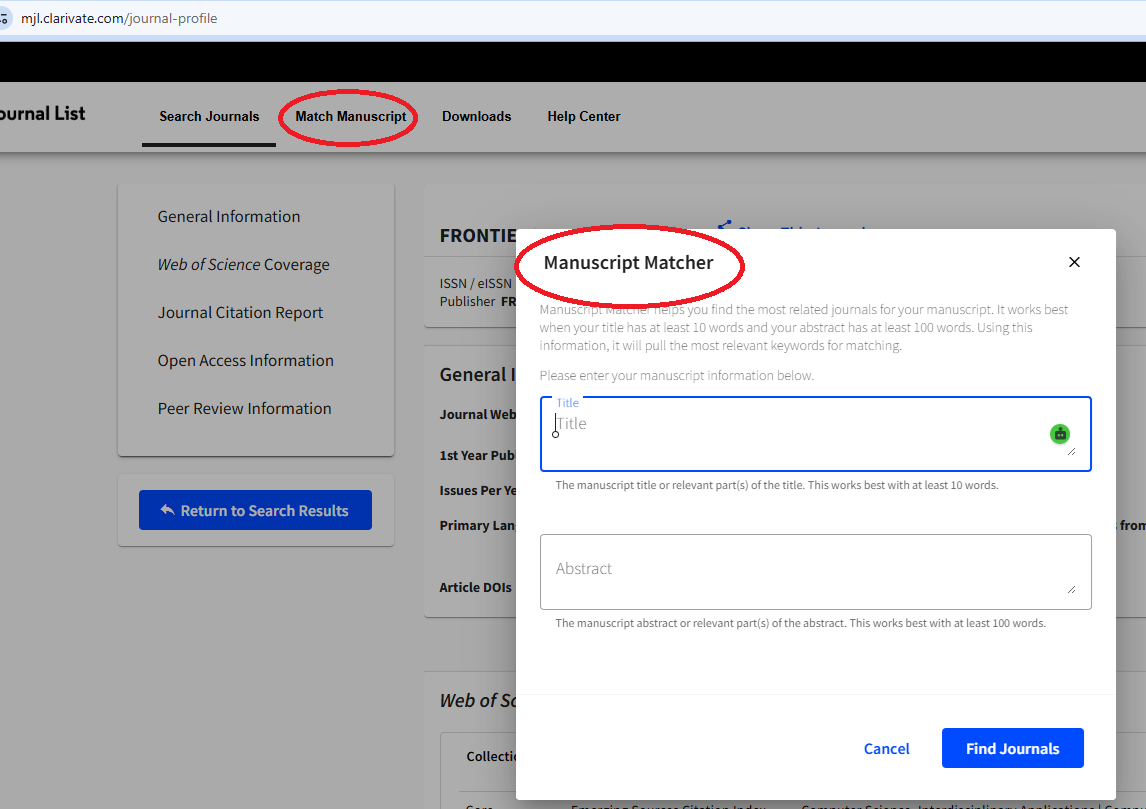
Find matching journals by entering your Paper Title and Abstract using the Clarivate tool:
- Go to: https://mjl.clarivate.com/journal-profile
- Log in to the system (you can sign in with your ORCID account and link them).
- Select the Match Manuscript menu, then enter your Title and Abstract as prompted on the page.
4. Checking Journal Quartile Rankings (WoS)
Access via Smart Search: https://www.webofscience.com/wos/woscc/smart-search
- Search for your desired article or journal name.
- Click on the Journal Name.
- Select View Journal Impact to check its Quartile ranking (ranked by JCR).
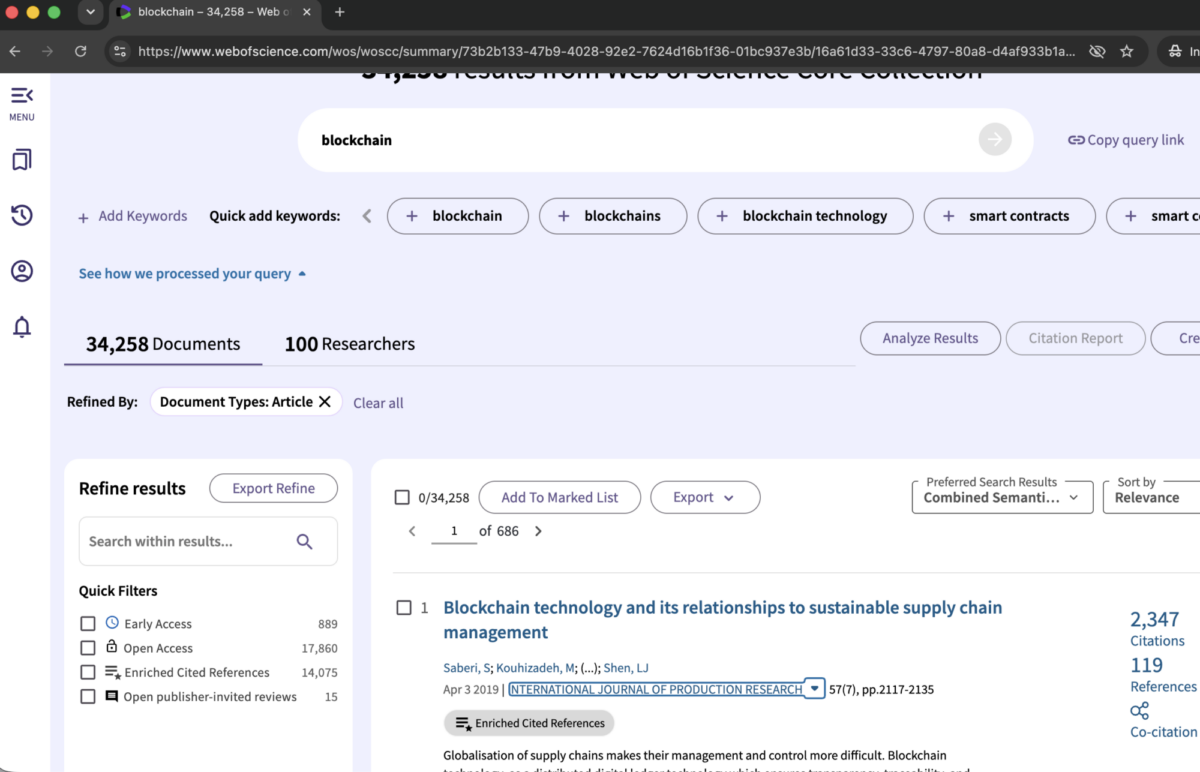
Select View Journal Impact to check its Quartile ranking (ranked by JCR).
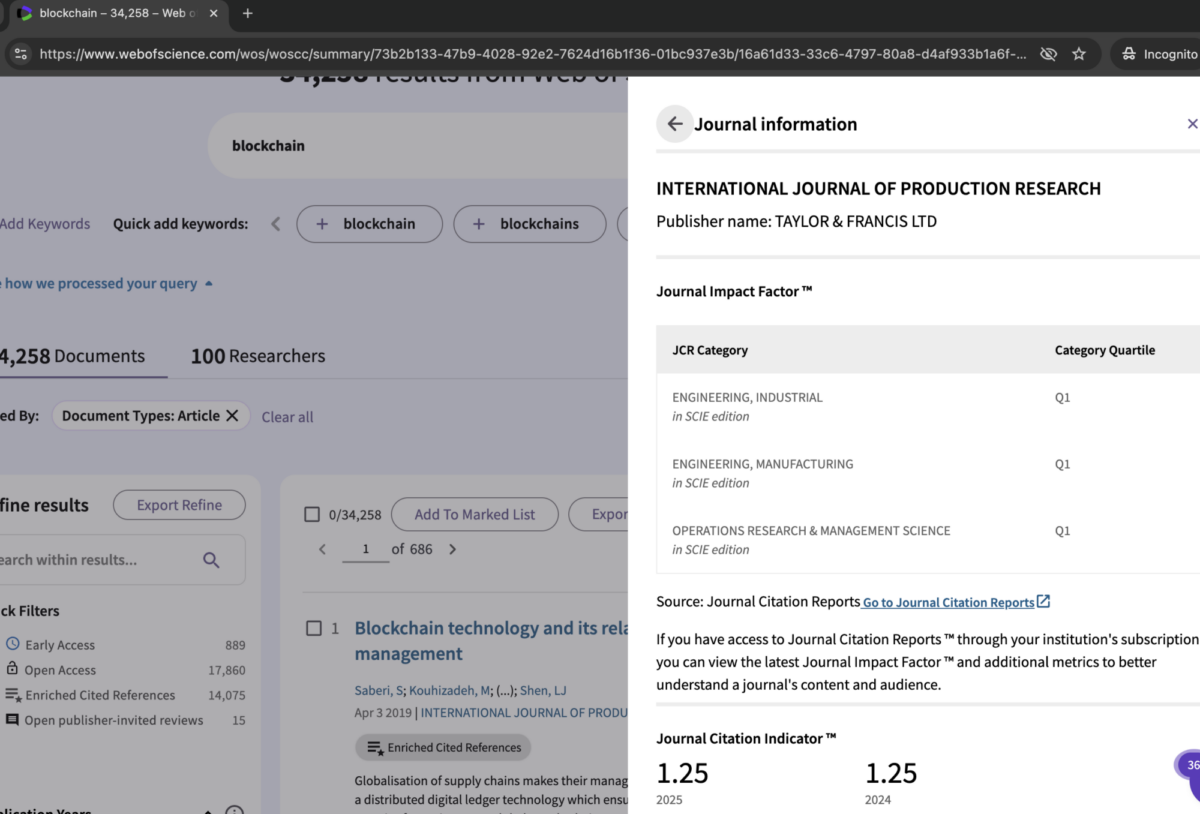
5. Publication Benchmarking via SciVal
Access the SciVal platform at: https://www.scival.com/overview/
- Select Select university sign-in
- Choose institution: Prince of Songkla University
- Sign in using your university email format: psu_passport@psu.ac.th